
APRSdroid - APRS Client
Georg LukasTools
3.9482.00 Reviews
- Version
- 1.6.3e
- Installs
- 50.00K
- Age Rating
- Everyone
Screenshots
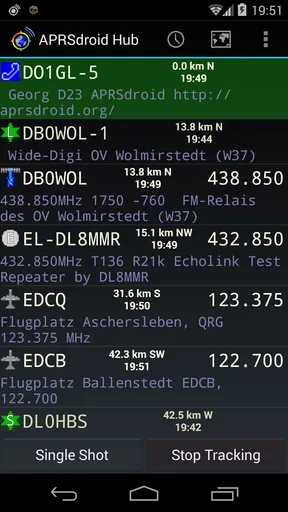
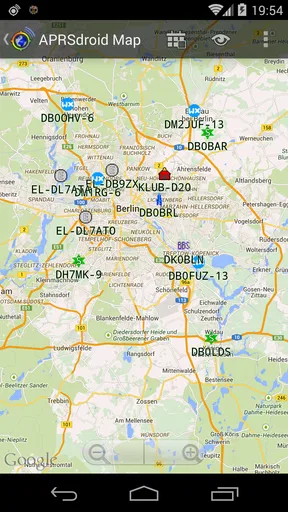
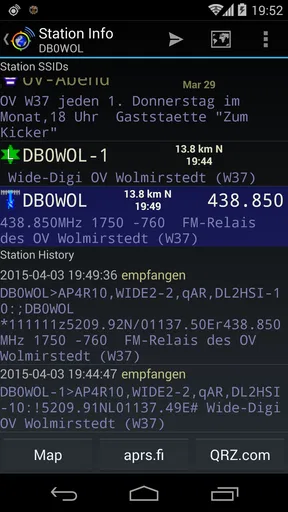
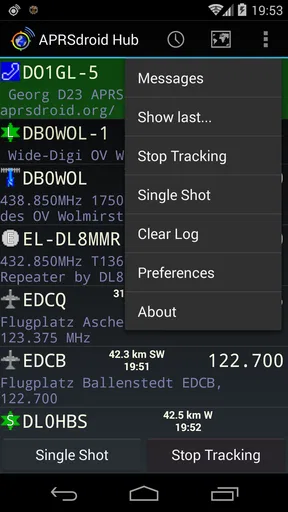
Our Review of APRSdroid - APRS Client
 Analysis by Appyee
I find APRS apps make the most sense when you already have a reason to care about what is happening beyond your phone screen: a radio hobby, a group keeping track of one another, or a trip where shared position and short messages matter. APRSdroid - APRS Client is built for that particular world. It is a paid Android tool from Georg Lukas, and its appeal is less about being a general-purpose map and more about bringing APRS activity into a familiar mobile setting.
What APRSdroid is like today
APRSdroid is an amateur-radio utility for viewing and exchanging APRS information, including tracking contacts and accessing tactical details. In my view, that focus is its clearest strength and its main limitation: it can be useful when APRS is already part of your routine, but it is not a substitute for an ordinary navigation app or a general messaging service. The experience depends on understanding the system around it, not simply installing an app and expecting a complete communications setup.
The current version is 1.6.3e, and the app has been available since Apr 18, 2011. Those details suggest a long-running project rather than a new arrival, but they do not, by themselves, tell me how often the app changes or what any particular release introduced. I would treat the version number as a practical compatibility detail and check that it suits my device and radio setup before relying on it for an outing.
How it fits into an APRS setup
One useful way to approach APRSdroid is to decide what job you want the phone to do before you configure anything. If you mainly want to see activity and follow stations, you can treat it as a monitoring tool. If you intend to transmit or send messages, you also need to think through the connection path and the equipment or service your setup requires. The app is one part of that chain, not a radio network in its own right.
That distinction matters for newcomers. APRS is not simply a live map populated by every radio user everywhere; what you can see and exchange depends on the network and equipment available to you. Before a trip, I would test the intended arrangement somewhere convenient, confirm that the information I care about appears, and make sure I know what to do if the phone loses its connection. That small rehearsal is more valuable than discovering a setup problem when the group is already on the move.
Practical strengths and trade-offs
The app’s usefulness is easiest to appreciate in a specific situation. Imagine a group of radio operators travelling separately to an event: checking APRS activity can help someone see where participating stations are and exchange a short coordination message. It is a different kind of awareness from a shared consumer map. The information is tied to APRS participation, which can make it relevant to radio users but less useful to friends who do not have compatible equipment or know how the system works.
I would also separate “seeing a position” from “knowing someone is safe.” A location display can help with coordination, but it should not be treated as a guaranteed emergency channel or a promise that a contact is monitoring messages. For a real-world plan, agree in advance how the group will communicate if APRS is unavailable, and do not let a map replace sensible check-ins.
Compared with ordinary mapping apps, APRSdroid is better suited to interpreting APRS activity than to turn-by-turn directions, route planning, or sharing a location with anyone who has a smartphone. Compared with generic chat apps, it is more closely connected to radio operations, but the people you can reach are limited to those participating in the relevant APRS setup. If your goal is simply to share a pin with family, a conventional map or messaging app will usually be easier. If your goal is to follow radio stations and work within APRS, that general-purpose convenience is not the point.
Who should consider it
I would point this app toward licensed or actively learning amateur-radio users who already understand why APRS matters and are willing to configure a phone as part of a wider setup. It can also suit a curious newcomer who is prepared to learn the terminology and test things patiently. The price is $4.95, so I would first make sure APRS is something I expect to use rather than buy it as a novelty and hope it becomes useful later.
For context, it has a 3.9 average from around 1.7 thousand ratings, with over 50 thousand installs. Those figures indicate a modest, established audience, not a mass-market navigation tool. Its Everyone age rating is broad, but the subject itself is specialized: the learning curve comes from radio concepts and configuration, not from mature or restricted content.
Questions worth settling before relying on it
Will it work with my particular phone and setup? The app’s minimum operating-system requirement is Android 4.0, but that alone cannot guarantee compatibility with every current device, accessory, or radio arrangement. I would check the phone’s Android version and test the exact connection method I plan to use. If a Bluetooth TNC or other external equipment is part of the plan, verify the pairing and data flow before leaving home rather than assuming that a successful phone connection means APRS is working end to end.
Can I use it without radio equipment? The useful answer depends on what you mean by “use.” APRSdroid is an APRS client, and the available path for viewing or exchanging information depends on the configuration and connectivity you choose. A phone by itself should not be mistaken for a complete amateur-radio station. If your goal is conventional mobile messaging, another app is likely to be a simpler fit; if your goal is to learn APRS, start by understanding which part of the system the phone will handle.
Is it suitable for a first APRS experience? It can be, provided you are comfortable learning a specialized tool and looking up radio terms as they arise. I would begin with observation and a basic test rather than trying to configure every possible use at once. That makes it easier to distinguish an app-setting issue from a problem with the network, hardware, or radio procedure.
The Basics of APRSdroid
So, what exactly is APRSdroid? In a nutshell, it's an Android application designed for displaying and sending APRS (Automatic Packet Reporting System) data. Now, if you're not familiar with APRS, it's essentially a system used by amateur radio operators to share real-time information such as location, weather, and messaging over radio frequencies. Pretty cool, right?
The app is super handy for those who want to keep tabs on their fellow radio buffs, track weather conditions, or even just have a chat with someone across the globe. All you need is your smartphone, and you’re good to go.
Setting Up and First Impressions
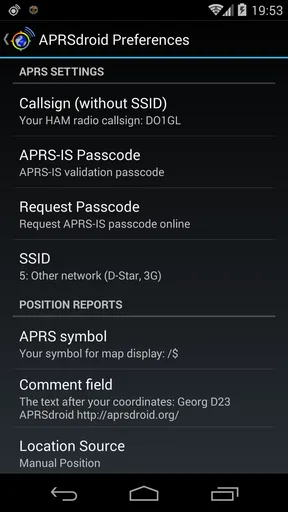
Getting APRSdroid up and running is a breeze. Once you download it from the Google Play Store, the initial setup is straightforward. You’ll need to input your call sign and configure a few settings, but the app guides you through it like a pro.
Once you're in, the interface is clean and intuitive. I appreciate that it doesn’t bombard you with unnecessary clutter. Everything is where you expect it to be, making navigation a piece of cake. The map feature is particularly impressive, providing a clear view of APRS data in your vicinity.
Features That Stand Out
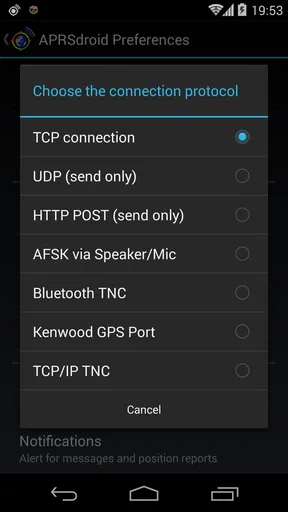
One of the standout features of APRSdroid is its ability to connect via the internet, RF, or Bluetooth TNC (Terminal Node Controller). This flexibility means you can choose the method that best suits your needs, whether you’re in a remote area or sitting comfortably at home.
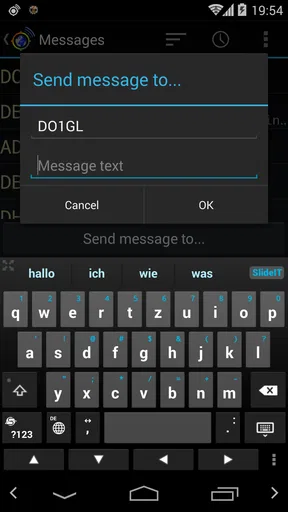
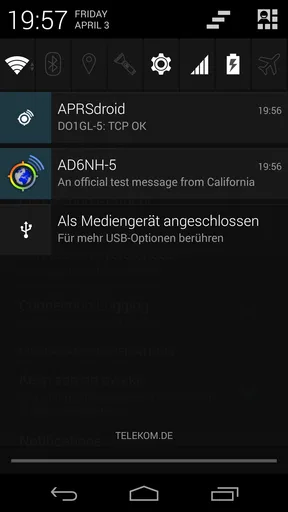
Another nifty feature is its messaging capability. You can send and receive messages with other users, adding a social element to your radio adventures. The ability to track APRS-equipped objects and receive weather updates is another bonus that I found incredibly useful, especially during outdoor excursions.
Performance and Usability
In terms of performance, APRSdroid doesn’t disappoint. It runs smoothly on most Android devices, and I didn’t experience any crashes or lagging issues during my use. The GPS function is accurate, and the app updates quickly, ensuring you’re always in the loop.
Usability-wise, the app is designed with both newbies and seasoned radio operators in mind. Even if you’re not a tech wizard, you’ll find it easy to navigate. Plus, there’s a helpful manual and community support if you ever find yourself stuck.
Is It Worth It?
Now, let’s talk about whether APRSdroid is worth your time and effort. For anyone passionate about amateur radio, the answer is a resounding yes. The app offers a unique way to connect with others and explore the world of radio in a modern, accessible format.
Of course, like any app, it’s not without its quirks. Some users have mentioned occasional connectivity issues, but these are few and far between. The developers seem committed to regular updates, which is always a good sign.
For anyone weighing whether to keep it installed, I would base the decision on the role APRS plays in your radio routine. If you regularly monitor stations, coordinate with other operators, or want a phone-based view of APRS information, a dedicated client has a clear purpose. If you rarely use APRS and only need directions or casual location sharing, the specialized setup may feel like extra work with little return.
A useful habit is to check the whole chain before an outing: confirm the phone configuration, verify the selected connection, and make sure the APRS information you expect is actually appearing. Keep a familiar backup method for coordination, especially when travelling somewhere with uncertain connectivity. This is not a knock against the app; it is simply the sensible way to use any tool whose usefulness depends on a larger radio and communications environment.
The app is developed by Georg Lukas and has 482 written reviews alongside its ratings. I would read user feedback with the same practical question in mind: does the reviewer describe a setup like mine? A comment about a particular phone, accessory, or network path may not apply to a different arrangement, so broad claims are less useful than details that match the way I plan to use it.
In conclusion, APRSdroid - APRS Client is a must-have for radio enthusiasts. It’s packed with features, easy to use, and offers a fun way to dive deeper into the amateur radio community. Whether you're a seasoned pro or a curious newcomer, this app is definitely worth checking out.
Verdict
Strengths of APRSdroid - APRS Client
- Easy to configure and set up.
- Supports multiple connection options.
- Real-time tracking capabilities.
- User-friendly interface for beginners.
- Wide compatibility with devices.
Limitations of APRSdroid - APRS Client
- Interface looks outdated.
- Limited offline features.
- Requires internet connection for full use.
- Battery consumption can be high.
- Lacks advanced mapping features.
Similar Picks in This Category
View All
Google LLC4.0

Gboard - the Google Keyboard
Google LLC4.5

Google Play services
Google LLC4.3

Google Play Store
Google LLC4.9

Files by Google
Google LLC4.5

SHAREit: Transfer, Share Files
Smart Media4U Technology Pte.Ltd.4.3
Frequently Asked Questions
What is APRSdroid - APRS Client and how does it work?
APRSdroid is a popular Android application designed for tracking and messaging using the Automatic Packet Reporting System (APRS). It allows amateur radio operators to send and receive APRS packets via the Internet or radio. Users can track their location, view other stations, and exchange messages, making it an essential tool for communication and coordination in the amateur radio community.
Is APRSdroid compatible with all Android devices?
APRSdroid is compatible with most Android devices running Android 4.0 (Ice Cream Sandwich) and above. However, for optimal performance, it is recommended to use it on devices with GPS capabilities and a stable internet connection. Users should ensure their device meets these requirements to fully utilize the app's features.
What are the key features of APRSdroid?
Key features of APRSdroid include real-time location tracking, messaging capabilities, and support for multiple APRS servers. The app also allows users to connect via Bluetooth to a TNC (Terminal Node Controller), enabling radio-based APRS communication. Additionally, it offers customizable maps and a user-friendly interface for seamless operation.
Are there any costs associated with using APRSdroid?
APRSdroid is available as a free download with limited features. For full functionality, users can purchase the app via Google Play Store. This one-time purchase unlocks additional features like radio-based APRS support and advanced settings. The app provides robust capabilities at a relatively low cost, making it a valuable tool for amateur radio enthusiasts.
How do I set up and configure APRSdroid for first-time use?
To set up APRSdroid, download and install the app from Google Play Store. Open the app and enter your amateur radio callsign and passcode. Choose your preferred connection method, either via the internet or radio. Configure map settings and any additional preferences. Comprehensive guides are available within the app to assist new users with setup and configuration.
